


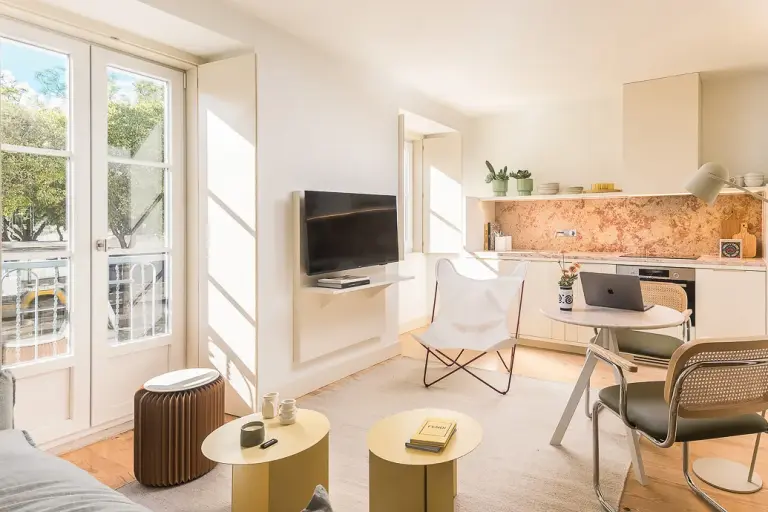
A month working from Lisbon deserves a setup that fits your actual workload. If you spend the day comparing documents, editing designs or moving between spreadsheets and calls, check the workspace as carefully as the rest of your accommodation.
Find a furnished base through RentRemote and confirm whether your chosen home includes the equipment you need or can accommodate a workstation upgrade. A desk in the photographs is a useful starting point; the final equipment and reservation details are what matter.
Match the monitor setup to your work
Before choosing a monthly stay, make a short list of the equipment you use at home. Consider whether you need one external screen, a particular connection type or enough desk depth to position the screen comfortably.
Compatibility matters when travelling with a laptop. Check which display connections your computer supports and whether you need to bring an adapter. Do not assume that a monitor shown in a photograph comes with every cable or accessory your device requires.
- Confirm the monitor specification available for your reservation.
- Check the required cable, port and adapter compatibility.
- Ask about desk dimensions and space for your own equipment.
- Confirm the chair and any adjustments that matter to you.
- Establish when the setup will be available after arrival.
Understand what is included in your Lisbon stay
RentRemote’s workstation service includes optional paid upgrades unless a workstation is expressly included in the accommodation offer. Availability, equipment and setup times vary by city and property, and the final arrangement requires confirmation.
Review the workstation options while choosing your home. RentRemote recommends requesting a workstation at least seven days before check-in. If you are arriving sooner, ask what can be arranged before relying on a particular setup.
Choose your Lisbon location around the working week
Build your shortlist around the journeys you expect to repeat. Compare each address with your regular meetings, transport connections and everyday shopping. If you have fixed calls soon after arriving, leave enough time to check in, connect your equipment and test your working position.
For Lisbon homes, check the walking route as well as the distance on a map. If you will carry equipment or luggage, ask about building access, stairs and lift availability for the specific property.
Check connectivity before your first meeting
A monitor improves your working setup, but internet requirements need their own checks. Ask for the available connection details and whether coverage reaches the intended desk. Explain any particular needs, such as frequent uploads, remote access or a wired connection.
Plan a short setup session before your first working day. Connect the display, check your audio and camera, and make sure the desk position works with daylight and nearby power outlets. This gives you time to raise practical issues before your calendar fills up.
Compare the complete monthly cost
Review accommodation charges alongside fees, utilities, deposit requirements and the cost of any workstation upgrade. Confirm cleaning arrangements and cancellation conditions for the chosen reservation. If you may extend your stay, ask how an extension would be handled and whether the equipment arrangement would also need extending.
Explore furnished accommodation in Lisbon and identify a home that suits your dates. Then confirm the workspace details so your monthly stay supports both the way you live and the way you work.