













How to Set Up a Productive Home Office in a Rental Apartment
How to set up a productive, ergonomic home office in a rental apartment: desk setup, ergonomics, lighting, noise control, and renter-friendly tips.
You've landed in a new city. Your rental apartment is great—good WiFi, nice neighborhood, close to coffee shops. But there's one problem: your "office" is the kitchen table, your back already hurts, and you've been here three days.
Setting up a productive workspace in a temporary rental is tricky. You can't drill holes in walls, you don't want to buy furniture you'll abandon in two months, and you're working with whatever space the landlord gave you.
This guide will show you how to create a functional, ergonomic, and distraction-free home office in any rental apartment—without breaking your budget or your lease.
Why Your Workspace Setup Actually Matters
Let's start with the obvious: working from your bed or a wobbly kitchen chair isn't just uncomfortable—it's actively destroying your productivity and health.
The data is clear:
- Poor ergonomics lead to chronic back, neck, and wrist pain (ask any remote worker who ignored this for six months)
- Bad lighting causes eye strain and headaches
- Cluttered, noisy environments kill focus and increase stress
- Lack of separation between "work space" and "life space" makes it harder to mentally clock out
You don't need a fancy standing desk or a Herman Miller chair. But you do need a setup that doesn't make you miserable eight hours a day.
Step 1: Choose the Right Spot in Your Apartment
Before you buy anything, figure out where you're actually going to work.
What to Look For:
Natural light: Ideally near a window, but not directly facing it (glare on your screen is brutal). Side lighting is best.
Noise control: Avoid spots near noisy streets, shared walls with neighbors, or high-traffic areas of the apartment.
Separation from sleep/leisure areas: If possible, don't work where you sleep. Your brain needs clear boundaries. A corner of the living room beats working from your bed.
Power outlets: You'll need at least 2-3 outlets for your laptop, monitor, phone charger, etc. Check before committing to a spot.
Common Rental Apartment Setups:
Studio apartment: Use a room divider or bookshelf to create a visual boundary between your workspace and bed.
One-bedroom: Dedicate a corner of the bedroom or living room. Avoid working from the couch (it's a trap).
Shared apartment: Claim a corner of your room or negotiate shared living room time with roommates.
Tiny apartment: Get creative—fold-out desks, wall-mounted tables, or even a sturdy board across two surfaces can work.
Step 2: The Essentials (What You Actually Need)
You don't need to recreate a corporate office. Here's the bare minimum for a functional workspace:
1. A Proper Desk (or Desk Alternative)
Option A: Rent a furnished apartment with a workspace
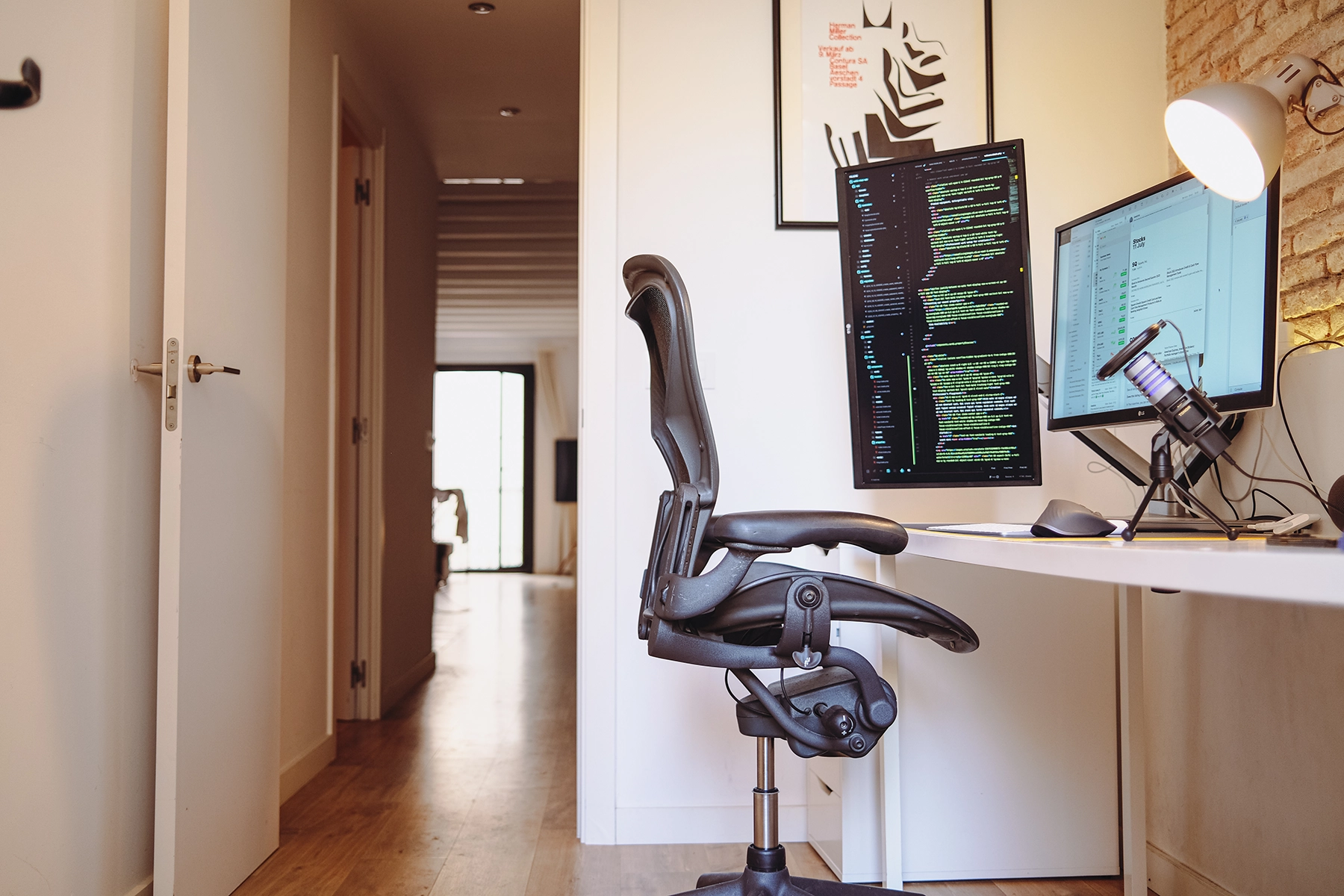
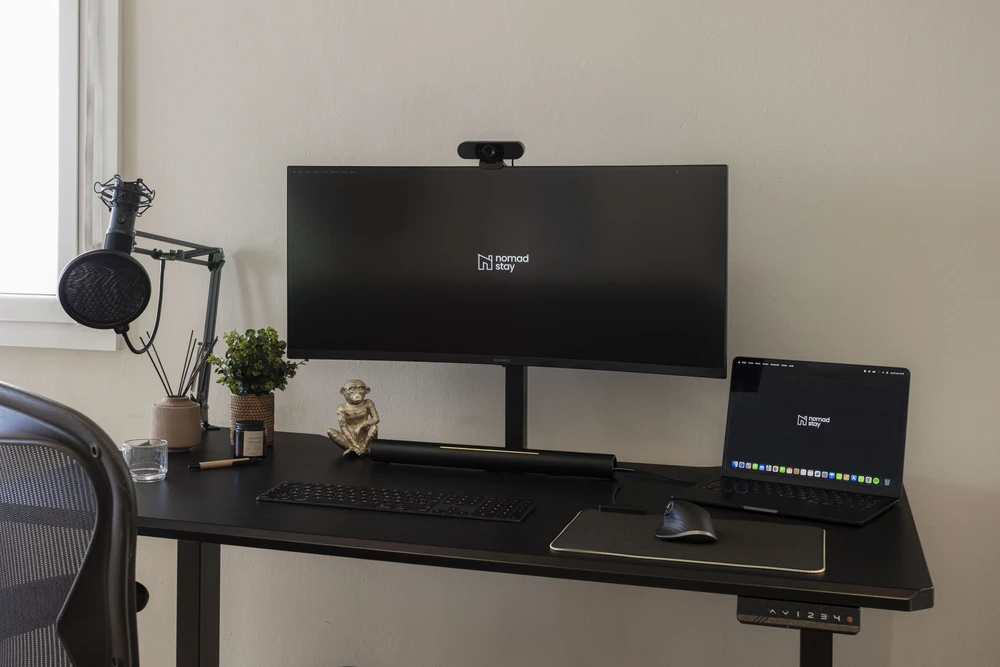
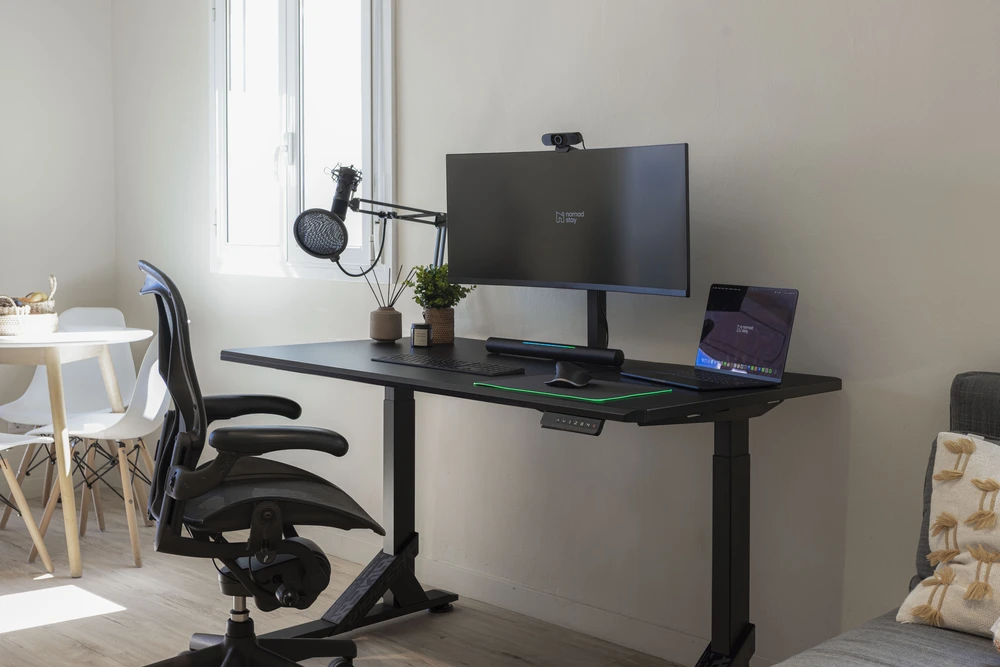
The easiest solution. Rent Remote apartments come with dedicated workstations—desk, ergonomic chair, good lighting. You show up, plug in, and start working.
Option B: Portable/foldable desk
If you're staying short-term (1-3 months), a lightweight foldable desk is your best bet. Look for:
- Sturdy enough for a laptop + monitor
- Easy to pack/move
- Under €100
Brands like IKEA, Decathlon, and Amazon Basics have solid options.
Option C: DIY desk
A wooden board (or even a thick cutting board) across two stable surfaces (storage boxes, drawers, sturdy stools) works in a pinch. Just make sure it's stable.
What NOT to do:
Don't work from your bed, couch, or a wobbly café table for weeks on end. Your spine will hate you.

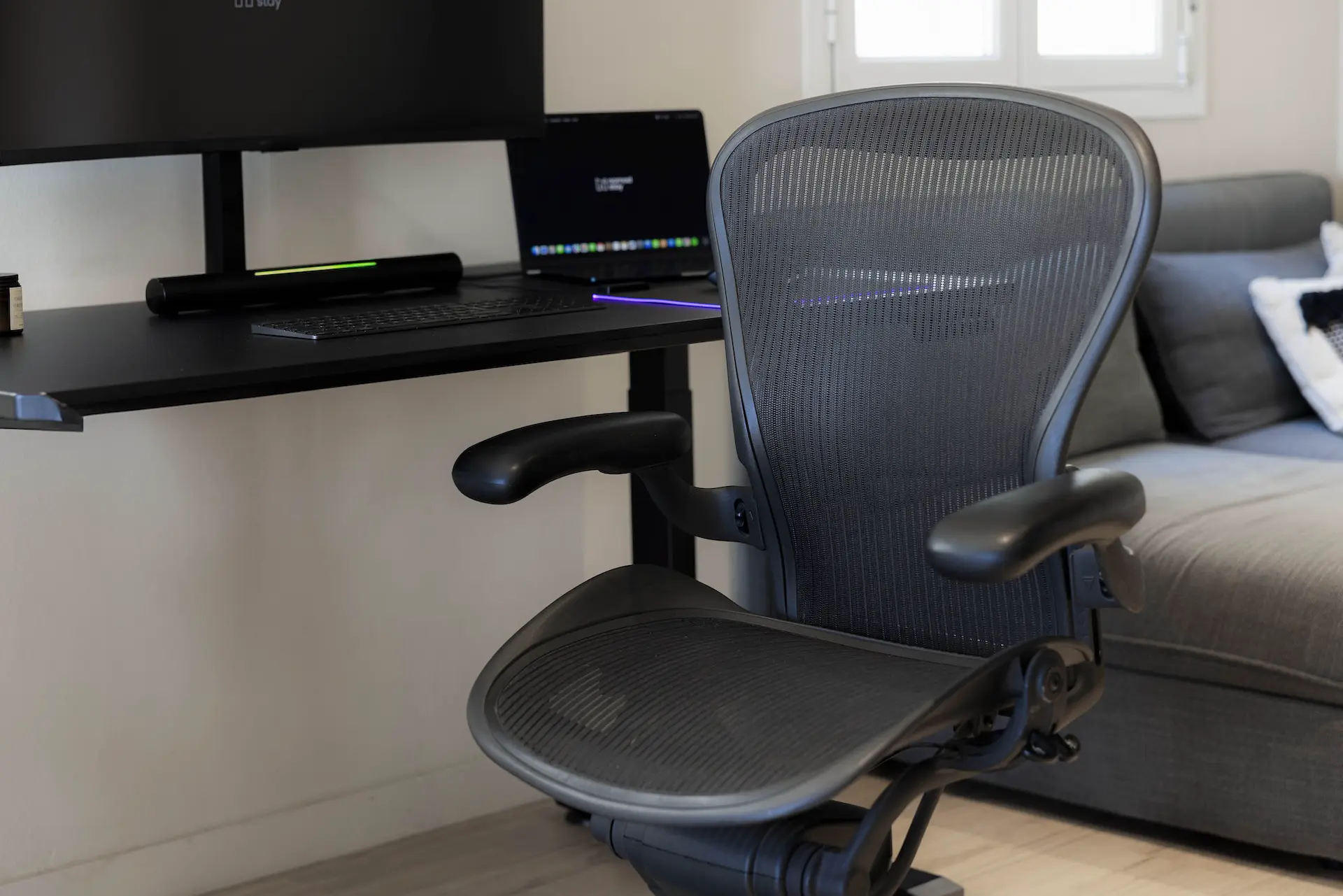
2. An Ergonomic Chair
This is where most digital nomads screw up. You'll spend 6-8 hours a day in this chair. It matters.
What to look for:
- Adjustable height (your feet should be flat on the floor)
- Lumbar support (lower back support)
- Breathable material (you're in a rental, probably no AC)
Budget options:
- IKEA JÄRVFJÄLLET: ~€100, decent lumbar support, widely available
- Second-hand office chairs: Check local Facebook Marketplace or Wallapop (Spain), Leboncoin (France), etc.
- Cushion hack: If you're stuck with a bad chair short-term, buy a lumbar support cushion (€20-30 on Amazon)
Pro tip: Many landlords will let you swap out the apartment's existing chair if you ask nicely (and promise to swap it back when you leave).
3. Laptop Stand + External Keyboard/Mouse
If you work on a laptop, this is non-negotiable for ergonomics.
Why it matters:
Hunching over your laptop screen all day destroys your neck and shoulders. A laptop stand brings the screen to eye level, and an external keyboard lets you keep your arms at a comfortable angle.
What to get:
- Portable laptop stand: ~€20-40 (Roost, Nexstand, or any adjustable stand)
- Wireless keyboard + mouse: ~€30-50 (Logitech, Microsoft, or Apple Magic Keyboard if you're in that ecosystem)
Travel hack: A stack of books can work as a makeshift laptop stand in a pinch.
4. Lighting
Bad lighting = eye strain, headaches, and terrible Zoom call lighting.
Natural light is best, but you can't control the sun. Add:
- Desk lamp with adjustable brightness: LED lamps with warm/cool settings are ideal (~€20-50)
- Bias lighting: A small LED strip behind your monitor reduces eye strain when working at night (~€15)
Pro tip: Position your desk perpendicular to windows (not facing or backing them) to minimize glare.
Step 3: Cable Management (Because Chaos Is Distracting)

Tangled cables are the enemy of calm, focused work. Here's how to fix it:
What you need (under €20 total):
- Cable clips or adhesive cable organizers
- Velcro cable ties
- A small box or tray to hide power strips
Quick wins:
- Route cables along the back of your desk using adhesive clips
- Use velcro ties to bundle cables together
- Hide your power strip in a box or under your desk
- Label cables (phone, laptop, monitor) with tape or labels—future-you will thank you
Renter-friendly: Use adhesive clips that don't damage walls. 3M Command strips work great.
Step 4: Noise Control (For Shared Apartments and Noisy Streets)
Noise is the silent (loud?) productivity killer. Here's how to fight back:
1. Noise-Canceling Headphones
Invest in good headphones. This is non-negotiable if you:
- Take client calls
- Live in a noisy area
- Share your apartment
Top picks:
- Sony WH-1000XM5: Best noise canceling, ~€300
- Bose QC45: Comfortable for long wear, ~€280
- Anker Soundcore Q30: Budget option, ~€80
2. White Noise or Background Sound
If you can't block noise, mask it:
- Apps: myNoise, Noisli, Brain.fm
- YouTube: "Coffee shop ambience," "Rainy day sounds"
- Smart speakers: "Hey Google, play focus sounds"
3. Physical Barriers
If you're in a shared apartment:
- Door draft stopper: Blocks noise from under the door (~€10)
- Thick curtains: Absorb street noise and give you privacy (~€30-50)
- Bookshelf or room divider: Creates a visual and acoustic barrier
Step 5: Optimize Your Digital Setup
1. Internet Speed
You need at least 25 Mbps download / 5 Mbps upload for smooth video calls. Test your speed at fast.com or speedtest.net.
If your WiFi sucks:
- Move your desk closer to the router
- Use an ethernet cable (ask your landlord for one)
- Upgrade to a mesh WiFi system (if you're staying long-term)
- Check if your Rent Remote apartment offers high-speed fiber—most do
2. Monitor Setup (Optional but Worth It)
If you're staying 2+ months, a second monitor can double your productivity.
Budget option: Portable USB-C monitor (~€150-250). Brands like ASUS, Lenovo, and ViewSonic make 15-17" portable screens.
Local option: Buy a cheap monitor locally and resell it when you leave (check Facebook Marketplace, Wallapop, etc.).
3. Backup Power
Power outages happen. If you're in a city with unreliable power (or just want peace of mind), get a small UPS (uninterruptible power supply) for ~€50-100. It'll keep your laptop and router alive during short outages.
Step 6: Personalize Without Committing
Your workspace should feel like yours—even if it's temporary.
Renter-friendly ways to personalize:
- Desk mat: Defines your workspace, protects the desk, adds color (~€15-30)
- Small plant: Succulents or snake plants are low-maintenance and boost mood
- Photos or postcards: Use a small corkboard or adhesive photo clips (no wall damage)
- Candle or diffuser: Scent anchors your brain to "work mode"
What NOT to do:
- Don't paint walls or drill holes (unless your landlord explicitly allows it)
- Don't buy heavy furniture you can't move or resell
Step 7: Create Boundaries (Physical and Mental)
One of the hardest parts of working from home is separating work from life. Here's how:
Physical Boundaries:
- Close the door (if you have one)
- Use a room divider or curtain to visually separate your workspace
- Pack up your desk at the end of the day—even if it's just closing your laptop and putting away your notebook
Mental Boundaries:
- Set work hours (and stick to them)
- Use a "start work" ritual: Make coffee, put on work clothes (yes, even at home), turn on your desk lamp
- Use an "end work" ritual: Close laptop, tidy desk, change clothes, go for a walk
Pro tip: If you live in a studio with no separation, use a small "work flag" (like a lamp or a specific mug) that signals "I'm working" to yourself and others.
Bonus: What to Look for When Choosing a Rental
If you're choosing an apartment (not already stuck with one), prioritize workspaces:
Green flags:
- Dedicated desk/workspace included
- Ergonomic chair
- Fast WiFi (ask for a speed test before booking)
- Quiet neighborhood or good soundproofing
- Natural light
Red flags:
- No desk (and no space to add one)
- Terrible WiFi (sub-10 Mbps)
- Extremely noisy location (busy street, nightlife district)
- Dark, windowless rooms
Pro tip: Rent Remote apartments are specifically designed for remote workers—every apartment includes a workspace, fast WiFi, and ergonomic furniture. It eliminates the guesswork.
Common Mistakes (And How to Avoid Them)
Mistake 1: "I'll just work from the couch"
❌ Your back will hurt within a week.
✅ Set up a real desk, even if it's temporary.
Mistake 2: Buying furniture you can't move
❌ That full-size desk seemed like a good idea until move-out day.
✅ Buy foldable, portable, or second-hand items you can resell.
Mistake 3: Ignoring ergonomics
❌ "I'll deal with the pain later."
✅ Invest in a laptop stand and decent chair NOW. Medical bills cost more.
Mistake 4: Working where you sleep
❌ Your brain can't separate work and rest.
✅ Create physical separation, even if it's just a curtain.
Mistake 5: Terrible lighting
❌ Working in the dark or with harsh overhead lights.
✅ Get a desk lamp and position your desk near (but not facing) a window.
Best Cities for a Remote Work Home Office
Not all cities are created equal when it comes to setting up a productive home workspace. Here are some top picks:
Barcelona, Spain: Abundant furnished apartments, strong coworking culture if you need a change of scenery, and a digital nomad community that makes networking easy. Neighborhoods like Eixample and Poblenou offer spacious apartments with good natural light.
Lisbon, Portugal: Affordable compared to other Western European capitals, great weather year-round, and a growing remote work infrastructure. Príncipe Real and Santos are popular with remote professionals.
Mexico City, Mexico: Incredibly affordable, world-class food, and neighborhoods like Roma Norte and Condesa that are practically designed for remote workers. Fast internet is widely available.
Madrid, Spain: More affordable than Barcelona, excellent public transport, and a professional atmosphere. Malasaña and Chamberí offer the right mix of residential calm and city energy.
Rent Remote: Apartments Built for Remote Work
Finding the right apartment is half the battle. Rent Remote takes the guesswork out of it by offering apartments specifically designed for remote professionals:
- Herman Miller ergonomic chairs included in every workstation apartment
- Adjustable standing desks for healthier work habits
- Pre-installed high-speed WiFi (tested and verified speeds)
- Fully furnished with kitchen, laundry, and all utilities included
- Month-to-month flexibility, no long-term lease required
Instead of spending your first week hunting for a desk and a decent chair, you move in and start working on day one. Browse available apartments.
Final Thoughts: Make It Work for You
Setting up a home office in a rental apartment doesn't have to be complicated or expensive. The key is focusing on the essentials:
- A stable desk (even a DIY one)
- A decent chair (your spine will thank you)
- Laptop stand + keyboard/mouse (neck and shoulder health)
- Good lighting (natural + desk lamp)
- Cable management (sanity)
- Noise control (headphones + boundaries)
If you're apartment-hunting and want to skip the setup headache entirely, look for furnished apartments with dedicated workstations. You'll save time, money, and back pain.
Now get to work—your productive, ergonomic, distraction-free workspace is waiting. ✨