















Best Laptops for Remote Work: Top Picks by Type
Discover the best laptops for remote work. Compare models by battery life, weight, and price to find your perfect work-from-anywhere companion.
Our Favorite Laptops for Remote Workers
If you’re working remotely full-time or hopping between cities, finding the best laptops for remote work is about balance: longer battery life, portability, and comfort. Remote professionals need power; but they also want a light laptop that lasts through flights, cafés, and those marathon client meetings.
The top models in 2025 are built for flexibility: AI-powered chips for demanding tasks, slimmer frames, and even eco-friendly materials. They also prioritize comfortable keyboards and responsive touchpads—because nothing ruins focus faster than clunky typing mid-call.
Here’s what every digital nomad should look for before hitting “buy”:
-
Longer battery life – at least 10 hours on the go
-
Durability – metal casing or reinforced hinges
-
Exceptional performance – for creative professionals who multitask without lag
Need the perfect setup too? Compare apartments with premium workstations—so your laptop has the home it deserves.

What Specs Matter for Remote Work Laptops?
When you’re choosing a laptop for office work or creative travel days, specs matter more than marketing slogans. Remote professionals want a great device with longer battery life, comfortable portability, and the power to stay productive wherever they log in. According to Statista (2024), 64% of remote professionals prioritize battery life over processing power when buying laptops — a stat that says it all.
Let’s break down what actually makes a laptop worth packing for the road.
Battery Life and Portability
For remote workers, battery life is non-negotiable. Aim for at least 10 hours of charge to handle productivity tasks or a full day of meetings without hunting for an outlet. A lightweight build (under 1.5 kg) is key too — especially when juggling luggage through airports or hopping between cafés.
Local favorite: in Lisbon’s The Mill Café, a cheap laptop with a long battery is worth its weight in gold — sockets are few, coffee refills are plenty.
Processing Power and Performance
Even non–techies feel the difference between sluggish and smooth. Look for strong processing power (Intel i7, Apple M3, or AMD Ryzen 7 and above) and at least 16GB RAM if you’re doing creative work or running business user tools like Photoshop or multiple Chrome tabs. Power users might lean toward the Framework Laptop, known for its upgradable internals and sustainable design.

Display and Screen Size
Staring at your laptop screen for hours means comfort counts. Choose a matte or anti-glare finish and a screen size around 13–15 inches for easy travel without squinting. A touch screen can boost convenience for design work or presentations, but make sure it doesn’t sacrifice portability.
Insider tip: Pair it with an external monitor at your apartment — RentRemote listings often include ergonomic setups so you can switch from couch to workstation in seconds.
Keyboard, Webcam, and Mic Quality
The unsung heroes of office work. A laptop with an excellent keyboard makes typing long reports or emails far easier. Good audio and webcam quality are essential too — because no one wants pixelated client meetings. Many 2025 models (like Dell XPS 13 or HP Spectre) come with full-HD webcams and AI noise cancellation.
Quick Checklist: What to Look For
-
Longer battery life – at least 10 hours
-
Lightweight build – under 1.5 kg
-
Excellent keyboard – comfortable for long typing sessions
-
Balanced processing power – handles productivity tasks without lag
-
Comfortable laptop screen – matte or anti-glare for all-day focus
If you’re upgrading your setup, think beyond specs. Pair your laptop with the right workspace — one that has strong Wi-Fi, quiet corners, and ergonomic desks. You’ll stay productive no matter where your next meeting (or sunset) takes you.

Top Picks: Best Laptops for Remote Work (2025 Edition)
Finding the best laptops for remote work in 2025 is about knowing what fits your lifestyle. Whether you’re a power user running design tools, a writer chasing Wi-Fi-friendly cafés, or a nomad editing videos on the go, the right laptop makes all the difference. You’ll want a reliable laptop with incredible battery life, durable build, and energy efficiency that won’t quit mid–Zoom call. According to a 2024 G2 survey, 72% of remote professionals now prioritize build quality and battery over price — proof that longevity matters more than flash.
Here’s a breakdown by work style and budget, so you can find the excellent laptop that fits how (and where) you work.
For Everyday Remote Work: Apple MacBook Air (M3, 2025)
The new Apple MacBook Air M3 is the ultimate crowd-pleaser — ultra-thin, whisper-quiet, and boasting incredible battery life (up to 18 hours of video playback). Its energy efficiency is unbeatable, and the build quality feels premium yet feather-light for travel. Perfect for writers, marketers, and casual creators who split time between coworking cafés and city parks.
Price: from $1,199
For Power Users: MacBook Pro (M3 Pro, 2025)
If your days involve rendering, coding, or editing, the MacBook Pro still rules. Expect a durable build, brilliant Liquid Retina display, and marathon battery life that handles video playback and 4K editing without breaking a sweat. Add to that a new Copilot key shortcut for Apple’s built-in AI tools—yes, productivity just got an upgrade.
Best for: Power users who want portable performance without compromising cooling or comfort.
Price: from $1,999
For Business Travelers: Lenovo ThinkPad X1 Carbon Gen 12
The Lenovo ThinkPad X1 Carbon Gen continues its legacy as the gold standard for remote work pros. Lightweight, sturdy, and with an excellent keyboard, it’s designed to survive flights, coworking hubs, and unpredictable schedules. Battery life hits a reliable 13 hours, and Wi-Fi 7 support keeps your calls crisp from anywhere.
Price: around $1,700
Local insight: Ideal for professionals working in quieter spots like Second Home Lisbon, where ergonomic chairs and natural light make long sessions feel easy.
For Creatives Doing Office Work: Lenovo Yoga 9i (2025)
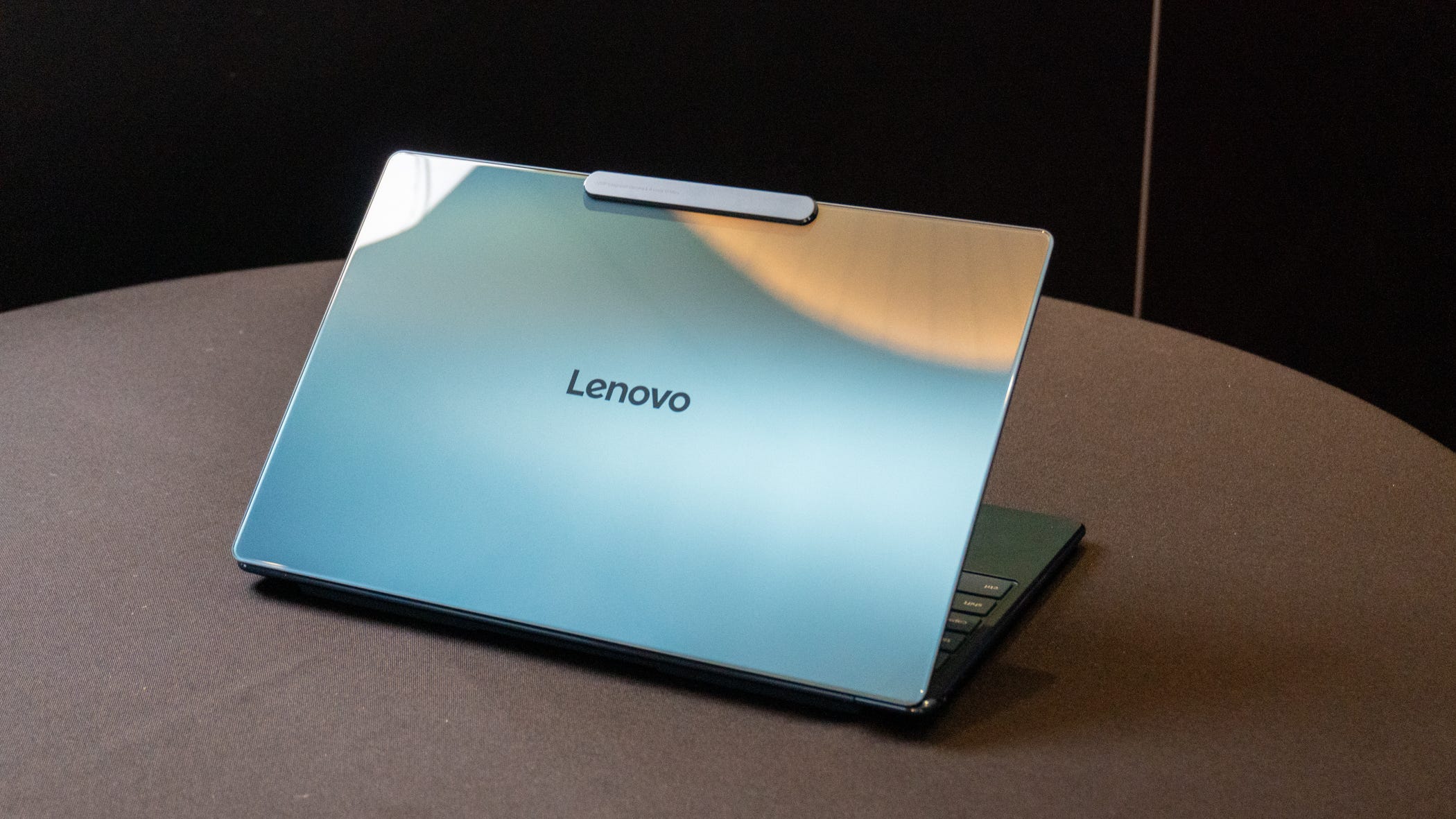
If you like to sketch or present on the fly, the Lenovo Yoga 9i blends form and function with a 2-in-1 design and precise pen input. The energy efficiency of Intel’s new Core Ultra chip keeps you going through long travel days, and the 14" OLED screen is perfect for visuals and creative work.
Best for: Designers and digital illustrators who need portability on the go.
Price: from $1,399
For Windows Fans Working Remotely: Microsoft Surface Laptop 6
The new Microsoft Surface Laptop 6 brings understated elegance. With improved build quality, seamless pen input, and the long-awaited Copilot key, it’s an excellent laptop for multitasking or light editing. It runs cool and quiet, making it great for shared coworking spaces.
Price: from $1,299
Fun fact: The Surface team claims a 20% improvement in energy efficiency versus the 2023 model—perfect for those who prefer to unplug longer.
For Budget Buyers: Lenovo IdeaPad Slim 7
Looking for a cheap laptop that doesn’t feel cheap? The Lenovo IdeaPad Slim 7 delivers reliable laptop performance with decent battery life (up to 10 hours) and solid portability. While not built for power users, it handles office work and browsing effortlessly.
Price: around $850
Local note: Pair it with a stable desk setup in one of Madrid’s coworking gems like LOOM Tapices (€25/day pass) for focus-friendly vibes.
For Designers & Engineers: Dell Precision 5690
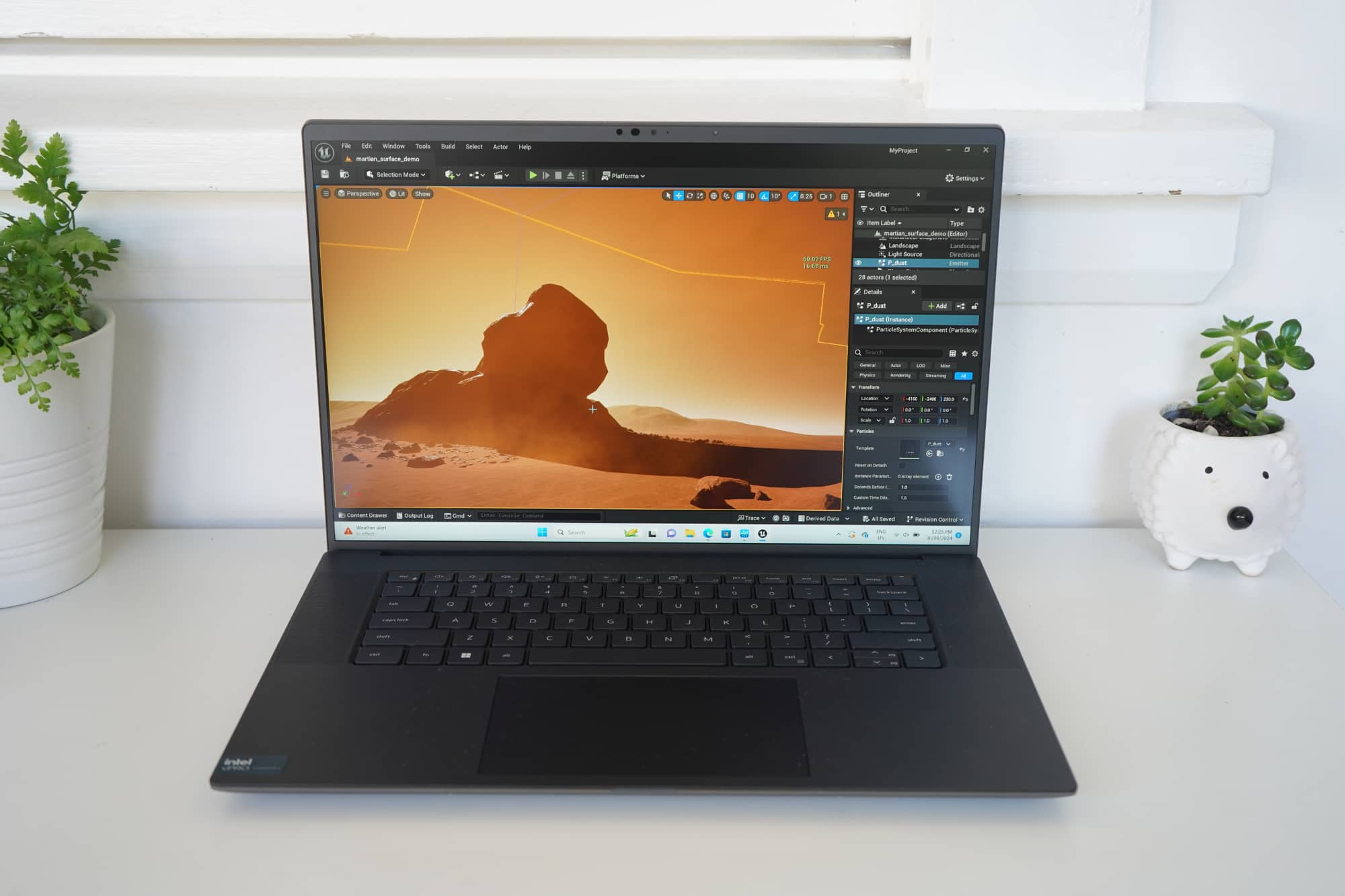
When performance is non-negotiable, the Dell Precision series stands out. This gaming laptop-grade machine doubles as a workstation, offering desktop-level processing power, stellar cooling, and enterprise-grade build quality. It’s heavier than others but unbeatable for creative work or 3D modeling.
Price: from $2,499
Best for: Architects, animators, or business users who need reliable horsepower.
Quick Comparison: Best Laptops for Remote Work
| Model | Weight | Battery Life | Best For | Starting Price |
|---|---|---|---|---|
| Apple MacBook Air M3 | 1.2 kg | 18 hrs | Everyday remote work | $1,199 |
| MacBook Pro M3 Pro | 1.6 kg | 17 hrs | Power users | $1,999 |
| Lenovo ThinkPad X1 Carbon Gen 12 | 1.1 kg | 13 hrs | Business travelers | $1,700 |
| Lenovo Yoga 9i | 1.4 kg | 12 hrs | Creatives | $1,399 |
| Microsoft Surface Laptop 6 | 1.3 kg | 15 hrs | Multitaskers | $1,299 |
| Lenovo IdeaPad Slim 7 | 1.5 kg | 10 hrs | Budget buyers | $850 |
| Dell Precision 5690 | 1.9 kg | 9 hrs | Engineers & designers | $2,499 |
| Choosing the best laptops for remote work isn’t about specs alone — it’s about where and how you’ll use them. From Lisbon terraces to Mexico City rooftops, your setup should match your workflow. And if you need a place that’s as work-ready as your laptop? RentRemote’s furnished apartments come with ergonomic desks, strong Wi-Fi, and everything you need to focus fast. |
How to Choose the Best Laptop for Remote Work
Choosing the right work laptop for remote work isn’t just about buying what’s new—it’s about matching your setup to your lifestyle. Whether you’re editing creative applications from a coffee shop, hopping on the go between cities, or managing video calls from your kitchen table, the best choice balances battery life, comfort, and reliability. According to a 2024 HP survey, 70% of remote workers say long lasting battery and screen comfort matter more than raw performance—proof that everyday usability beats flashy specs.
Here’s how to find your perfect fit without getting lost in tech jargon.
1. Know Your Remote Work Style
Start by defining how and where you work.
-
Stationary worker: If you mostly work from furnished apartments or coworking hubs, go for a larger screen size (15–16 inches) and reliable ethernet port for steady Wi-Fi.
-
Travel-heavy nomad: You’ll want a light frame, long lasting battery, and durable design for on the go work. Something like the Asus ZenBook 14 or Apple MacBook Air (M3) offers top-tier battery life and portability under $1,300.
2. Prioritize Comfort and Display Quality

You’ll spend hours staring at that screen, so don’t compromise.
Look for displays with at least 400 nits of maximum brightness to stay visible in sunlight, especially if your office is a Lisbon terrace. A touch screen or tablet form factor can make multitasking feel effortless, particularly for creative professionals or designers. And if you’re in a cozy coffee shop, a backlit keyboard is a quiet lifesaver when lighting dips after sunset.
3. Focus on Core Specs
Your work laptop should handle web browsing, video calls, and creative applications without stuttering.
-
Battery life: At least 10–12 hours
-
Storage: SSD (512GB minimum) for speed
-
Processor: Intel i7 or Apple M3
-
Memory: 16GB RAM for multitasking
-
Video output: HDMI or Thunderbolt ports for external monitors
Pro tip: If you’re a designer or editor, consider a mid-tier gaming laptop—many offer the same graphics power you’ll find in creative rigs but at a friendlier price.
4. Don’t Ignore Practical Features
Comfort extends beyond looks. A reliable ethernet port helps when Wi-Fi wobbles, and decent thermals prevent your laptop from overheating mid-meeting. Check that your webcam delivers 1080p quality for crisp video calls—especially when meeting clients. Bonus points for devices that add new features like noise cancellation or quick charging.
5. Think About Warranty and Global Support
If you’re living the nomad life, global warranty coverage is a must. Brands like Dell, Lenovo, and Apple provide international service plans—worth every cent when you’re abroad. A cheap laptop might save money upfront but can become a nightmare if it breaks mid-trip without global support.

Overall, the best laptop for remote work is the one that fits how you live, not just how you work. In cities like Lisbon or Madrid, where café culture meets productivity, opt for a long lasting battery and lightweight design. Test video calls in real-world settings, and don’t forget: your setup is only as good as your space. Pair your tech with a RentRemote apartment that already has ergonomic desks, strong Wi-Fi, and natural light—so your creative work flows as smoothly as your morning espresso.
Accessories That Boost Remote Productivity
Even the best laptops for remote work perform better with the right tools around them. Whether you’re using a MacBook Air, Microsoft Surface, or Lenovo ThinkPad, the right setup turns any corner of your apartment into a power zone for remote work.
Accessories don’t have to be flashy, just functional, energy efficient, and smartly chosen to fit your laptop and workflow. According to a 2024 Deloitte survey, 65% of remote professionals report higher focus when using ergonomic or external accessories—proof that small upgrades make big differences.
The Must-Have Add-Ons for Remote Work Success
You don’t need a gaming laptop or AI PC to feel like a pro—just a few key add-ons that boost comfort, posture, and focus.
-
Portable monitor: The Asus ZenScreen (~$250) gives you a bigger screen anywhere, whether you’re designing, writing, or juggling Microsoft Office docs. Perfect if your cheap laptop or ultraportable lacks real estate.
-
Noise-canceling headphones: The Sony WH-1000XM5 (~$399) cuts distractions, ideal for web browsing in busy cafés or client calls from coworking spaces.
-
Compact ergonomic mouse and keyboard: Great for long typing sessions; a backlit keyboard is especially useful during late-night deadlines.
-
Laptop stand: Keeps posture on point and boosts maximum brightness visibility on sunny terraces.
-
Cloud services backup: Sync files automatically with OneDrive or Google Drive so your Microsoft Surface or HP OmniBook never loses a beat.
Power Meets Comfort: Combine Tech with the Right Space
Even the most energy efficient laptop works best in a space that supports focus. A Lenovo ThinkPad with an Intel Core Ultra chip can run for hours, but pair it with a well-lit desk and strong Wi-Fi, and you’ve just doubled your productivity. RentRemote’s furnished apartments are designed for this exact combo: ergonomic chairs, ample desk space, and fast internet that make remote work actually enjoyable.

Final Thoughts: Finding the Best Laptop for Remote Work
At the end of the day, the best laptop for remote work isn’t about specs alone—it’s about how it fits your rhythm. Whether you’re taking video calls from a beachside café or diving into spreadsheets from a mountain flat, the right device should keep pace with your life.
Look for a lightweight, long-lasting laptop that supports your focus, travels easily, and doesn’t overheat halfway through your big presentation. If it helps you stay productive without tying you to a desk, you’ve found your match.
And remember—your workspace matters as much as your screen. Pair your setup with a quiet, well-lit apartment built for balance, not burnout.
Book your furnished apartment today and make every workday feel a little more effortless.
FAQs
What are the best laptops for remote work in 2025?
Top contenders include the Apple MacBook Air M3, Lenovo ThinkPad X1 Carbon, and Microsoft Surface Laptop 6. Each balances battery life, portability, and performance—ideal for professionals working from anywhere.
Are MacBooks or Windows laptops better for remote work?
It depends on your workflow. MacBooks are unbeatable for creative professionals thanks to optimized battery performance and seamless AI PC integration. Windows laptops, like the Lenovo Yoga or Dell Precision, offer better flexibility for multitasking and Microsoft Office users.
Which laptops have the best battery life for remote workers?
The MacBook Air M3 leads the pack with up to 18 hours of use. The Asus ZenBook 14 and Lenovo ThinkPad X1 Carbon also impress with longer battery life and fast-charging options—perfect for working on the go.
What specs should I look for in a laptop for remote work?
Prioritize these essentials:
-
Battery life of at least 10–12 hours
-
Lightweight build (<1.5 kg)
-
16GB RAM minimum
-
Bright, anti-glare touch screen
-
Quality webcam and mic for video calls
What’s the best budget laptop for remote work?
The Lenovo IdeaPad Slim 7 or HP OmniBook X are excellent mid-range options. Both are energy efficient, lightweight, and handle daily web browsing and office work smoothly—all under $1,000.
How much should I spend on a laptop for remote work?
Expect to spend $1,000–$1,800 for a reliable laptop that lasts several years. Cheaper models can work for basic tasks, but investing a bit more ensures better build quality, longer battery life, and fewer replacements down the line.
What are the best laptops for digital nomads and travel?
For digital nomads, portability is everything. The MacBook Air, Asus ZenBook 14, and Lenovo ThinkPad X1 Carbon combine lightweight frames, durable build, and global warranty coverage. Perfect companions for flights, cafés, and flexible work setups abroad.